In the posts about Redis Stack, I showed the Fat/Slim/Hybrid model and how the modeling decision directly affects what the LLM receives. Today I want to show the layer between DSPy's RouterOutput and Redis: the QueryBuilder.
It is the component that turns a Pydantic object containing semantic filters into a valid, safe, and correct FT.SEARCH string. It sounds trivial, but it is not.
The problem with building FT.SEARCH queries manually#
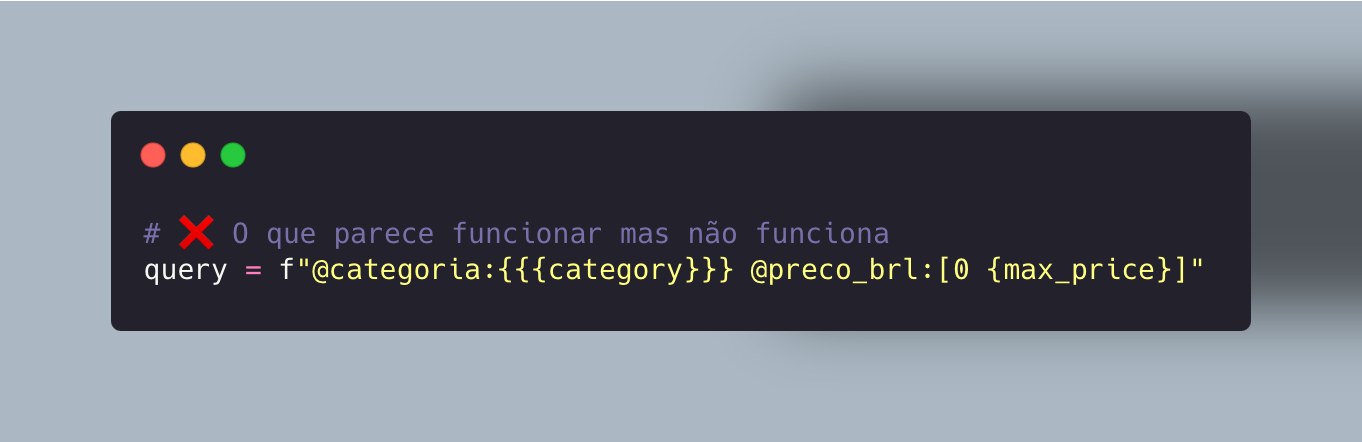
The first version of the search code built the query as an f-string:
 Enlarge ↗
Three immediate problems:
Special characters silently break the parser: RediSearch has 28 special characters in TAG fields that need to be escaped with a backslash. A product name such as "Nike Air (Plus)" without escaping becomes @nome:{Nike Air (Plus)}, which RediSearch parses as a malformed group of alternatives. The result: zero results, without an error.
Booleans do not exist in RediSearch: there is no native boolean field type. Fields such as
frete_gratisandem_estoqueneed to be stored and queried as TAG fields with the string "true"/"false". If upstream sends True, 1, "sim", or "TRUE", the query needs to normalize them first.LLM input cannot be trusted: DSPy returns
text_search="Nike Air Max 270". This needs to become a tokenized fuzzy query, not a literal substitution; otherwise, you either search too narrowly (zero results for misspellings) or too loosely (irrelevant results).
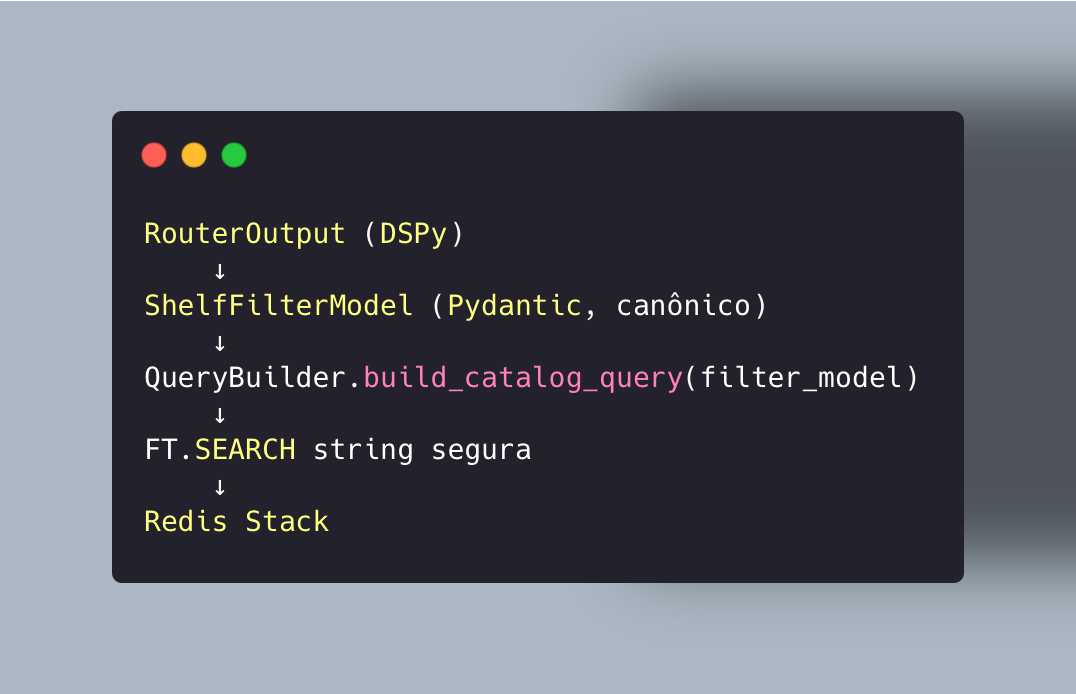
The architecture: Pydantic model -> QueryBuilder -> FT.SEARCH string#
 Enlarge ↗
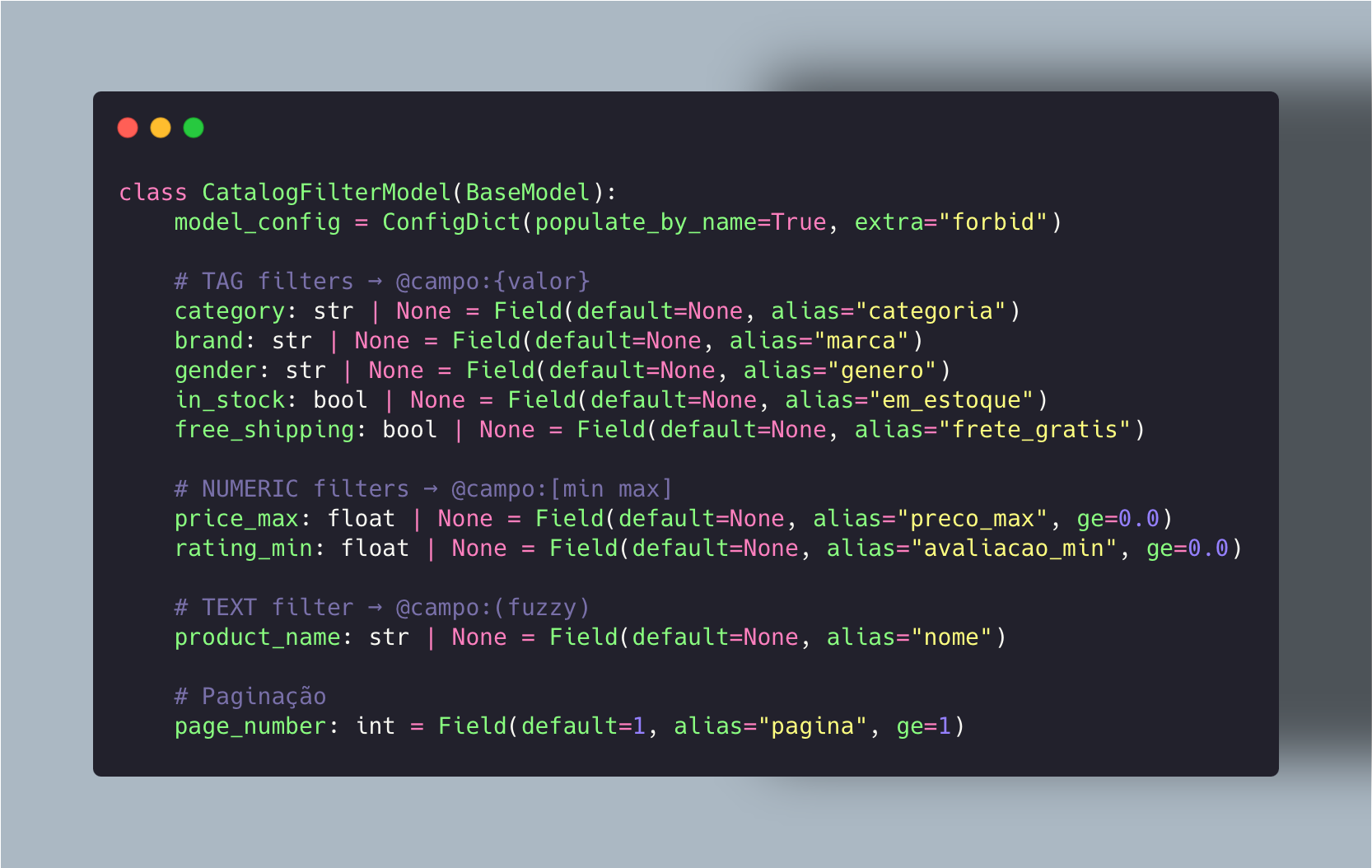
The Shelf Filter Model is the contract between the router and the builder. Each field has an explicit Python type and maps to the corresponding Redis field:
 Enlarge ↗
extra="forbid" ensures that unexpected fields coming from the LLM do not pass silently, causing them to raise ValidationError immediately.
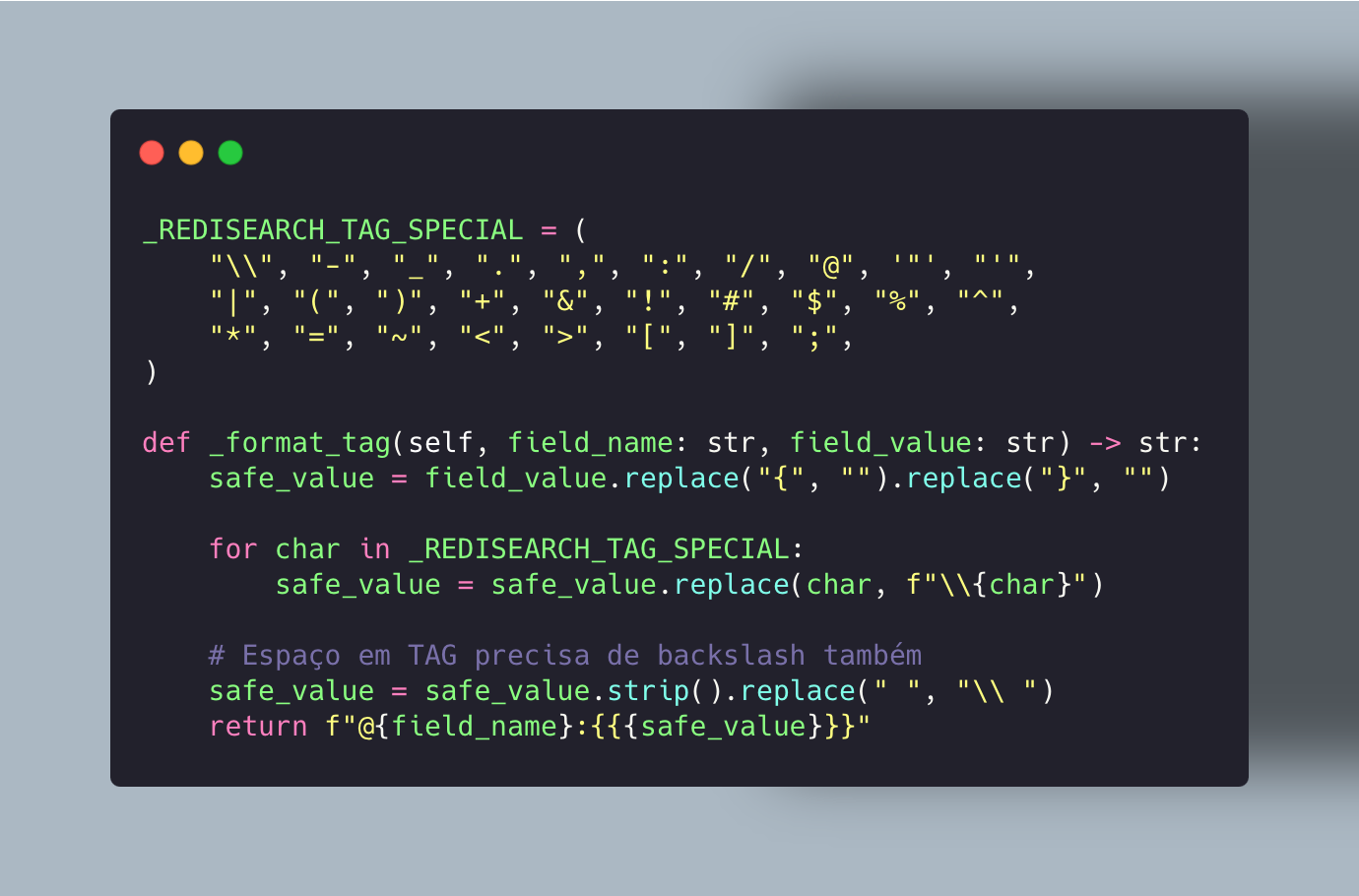
TAG escaping: 28 special characters #
RediSearch has a list of special characters that must be escaped in TAG field values. Most examples online only escape the obvious ones (-, .). In practice, product names contain (, ), +, &, /, and others.
 Enlarge ↗
The bug: "Nike & Co." without escaping becomes @marca:{Nike & Co.}. RediSearch interprets "&" as an AND operator within the TAG group and parses it as @marca:{Nike} AND @marca:{Co.}, which obviously returns zero results, without an error message or an exception.
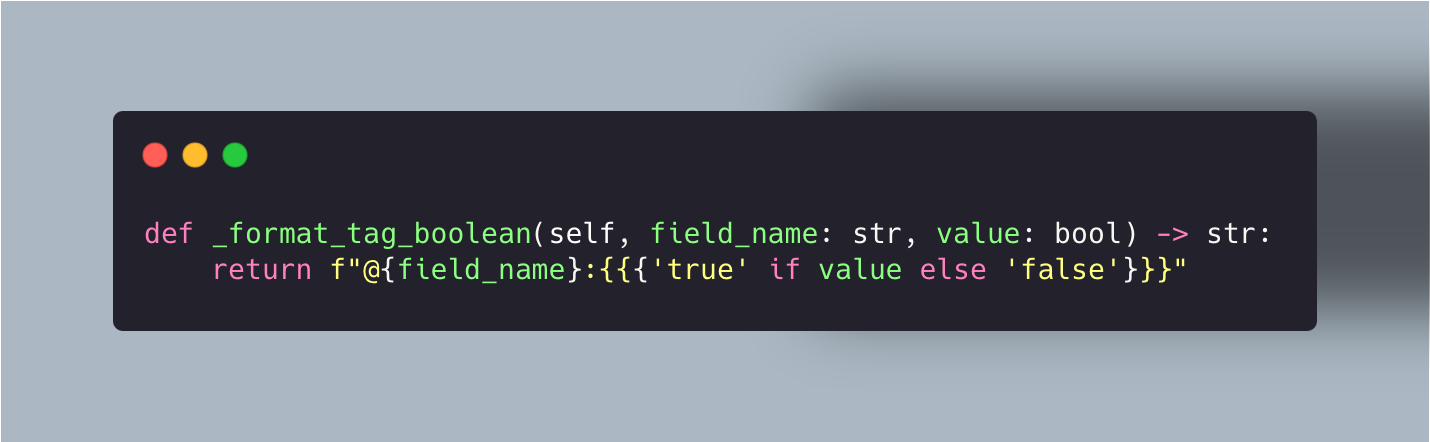
Booleans as TAGs: the normalization upstream does not do for you#
 Enlarge ↗
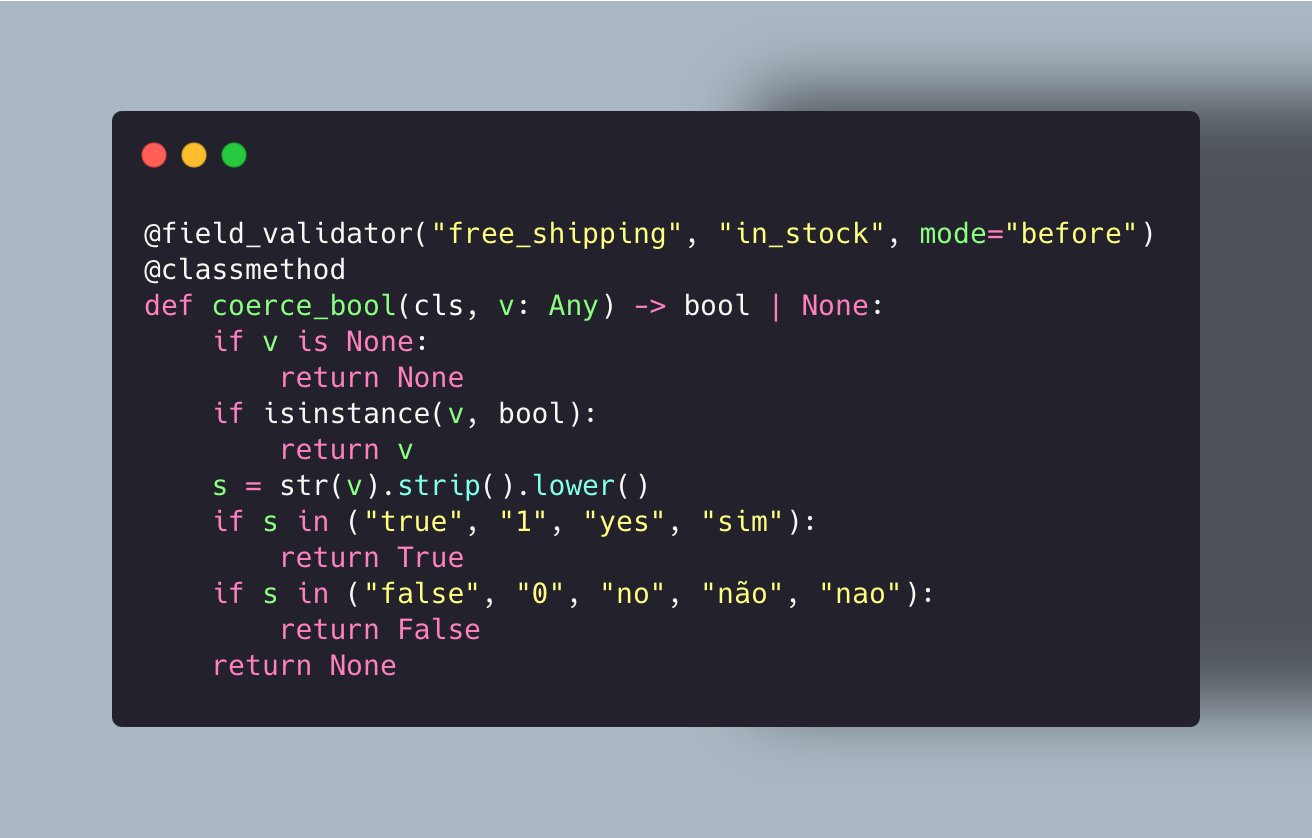
It is simple: the problem lies in normalization before reaching this point. Catalog APIs return True, 1, "sim", "TRUE", and "yes" for the same field. Pydantic with a validator solves this:
 Enlarge ↗
Without this validator, a field frete_gratis="TRUE" would pass through Pydantic as a string and reach _format_tag_boolean as a truthy value, generating @frete_gratis:{True} (with an uppercase T), which does not match an index storing "true" (lowercase), and returns zero results, without an error.
Fuzzy matching with tokenization rules#
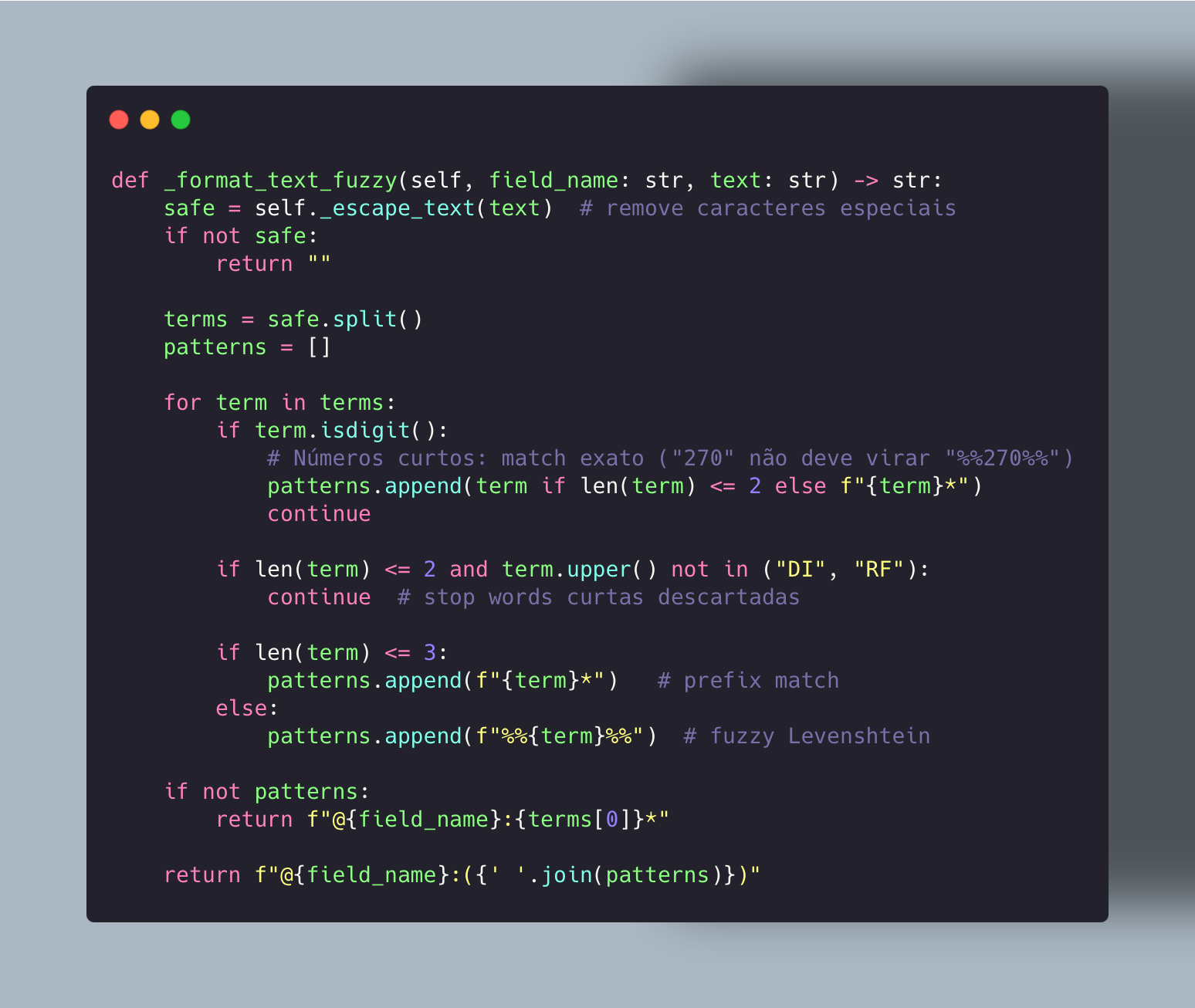
The product_name field is the most delicate. DSPy returns free text. You do not want exact search (which fails for any spelling variation) or a pure wildcard (which returns everything).
The solution is to tokenize and apply rules based on token length:
 Enlarge ↗
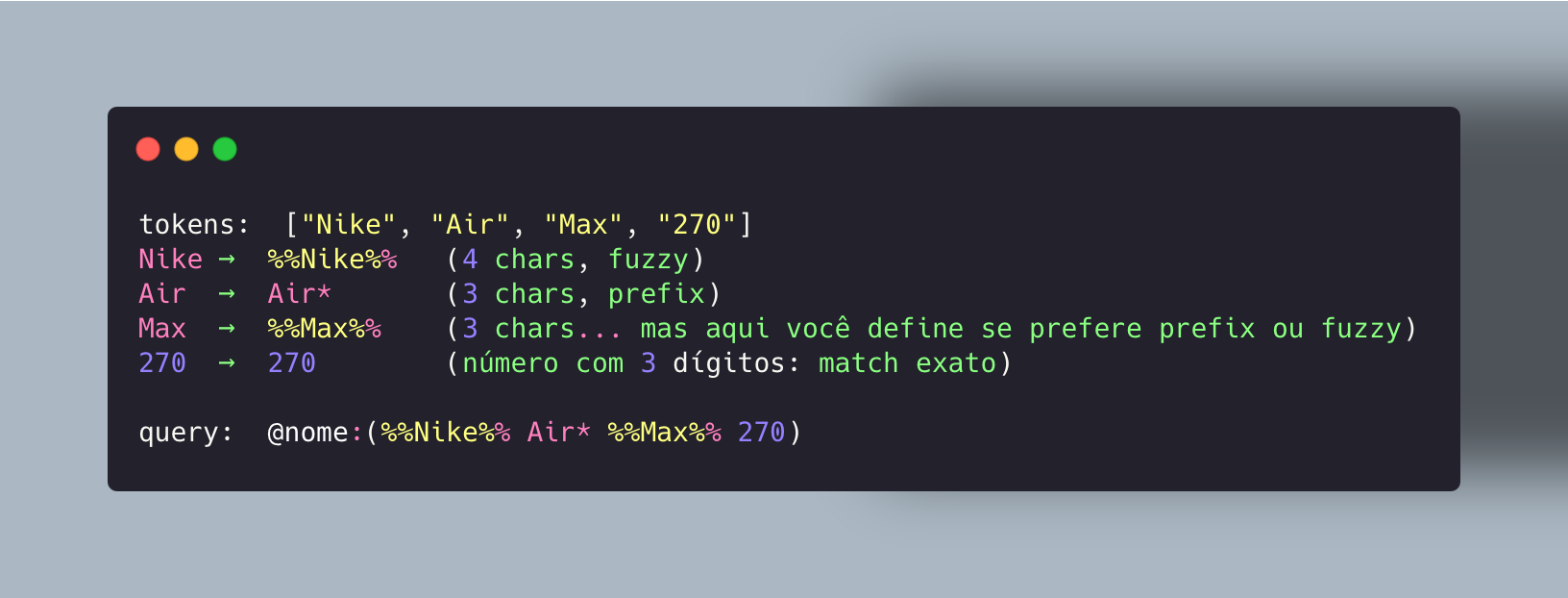
The result for "Nike Air Max 270":
 Enlarge ↗
This matches "Nike Air Max 270 Black" and "Nike Air Max 270 React" and tolerates "Nikke" (Levenshtein 1). It does not match "adidas Air Max", because %%Nike%% will not match "adidas".
Sanitization: RediSearch injection is real#
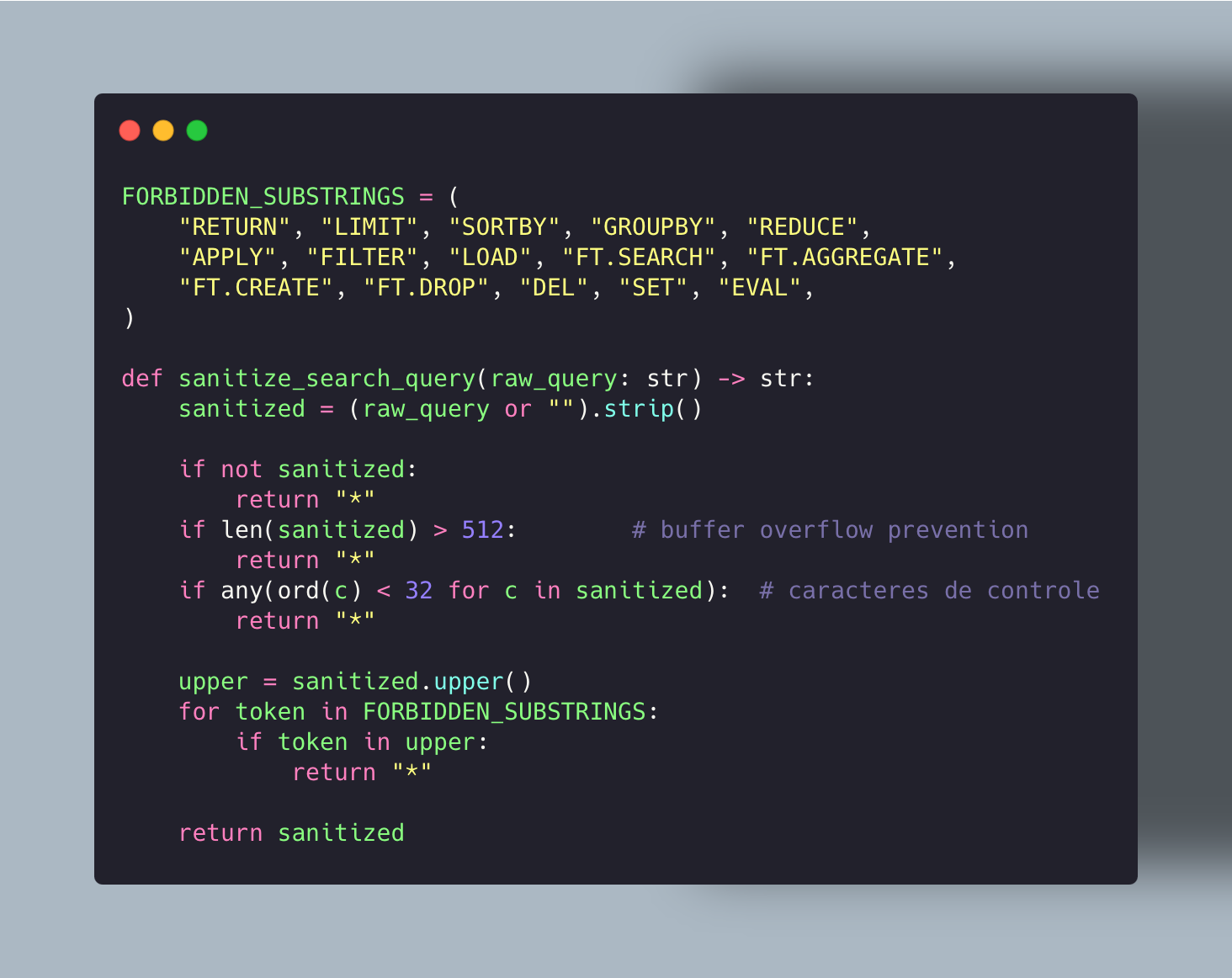
The LLM can (and eventually will) return text containing RediSearch commands. text_search="tênis LIMIT 0 1000 SORTBY preco" does not raise an exception; it simply executes.
 Enlarge ↗
The fallback is "*", a wildcard search that returns all documents in the index. It is fail-open: you deliver a generic answer instead of executing an injected command. In contexts where fail-closed would be more appropriate, the function can raise an exception instead of returning "*".
Template caching: do not rebuild the same query twice#
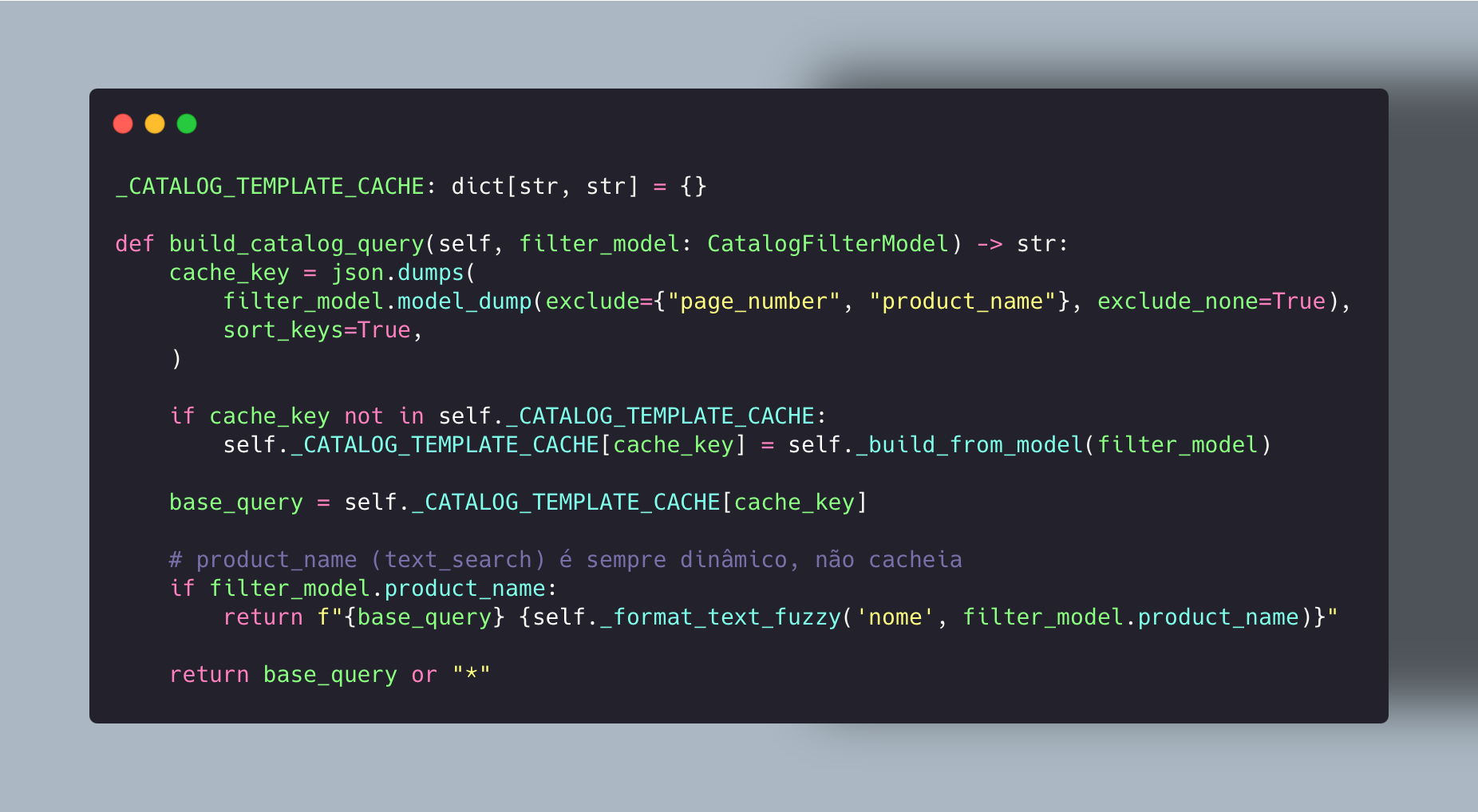
For structured filters without text_search (for example, {category: "Tenis", gender: "Masculino", free_shipping: True}), the dynamic part of the query is always the same for the same set of filters. The QueryBuilder caches it:
 Enlarge ↗
product_name stays outside the cache; it is the most variable field and the only one that undergoes fuzzy tokenization. Structured filters (TAG and NUMERIC) are stable for the same set of values.
What the QueryBuilder delivers to Redis Stack#
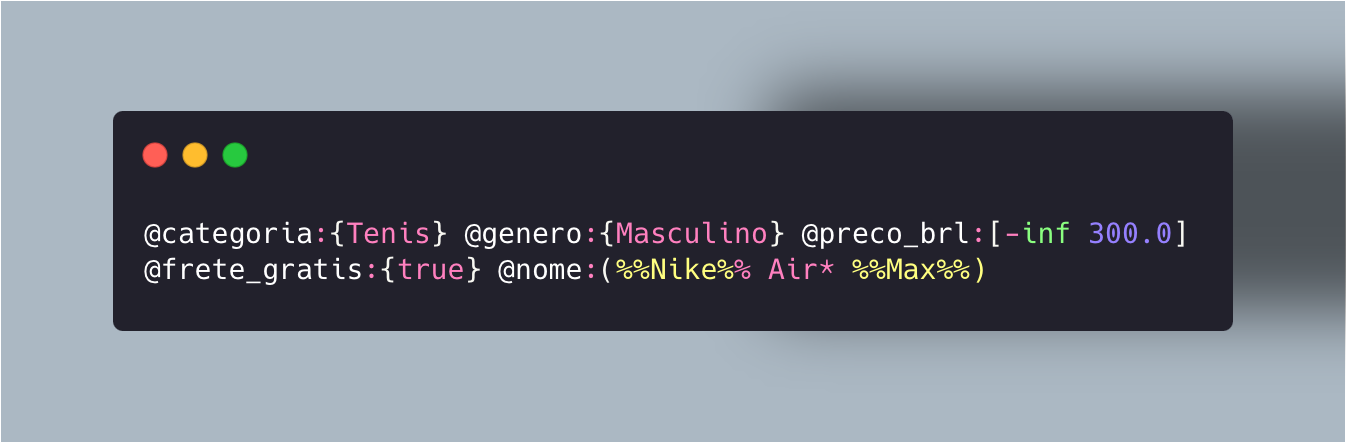
For a query with {category: "Tenis", gender: "Masculino", price_max: 300, free_shipping: True, product_name: "Nike Air Max"}:
 Enlarge ↗
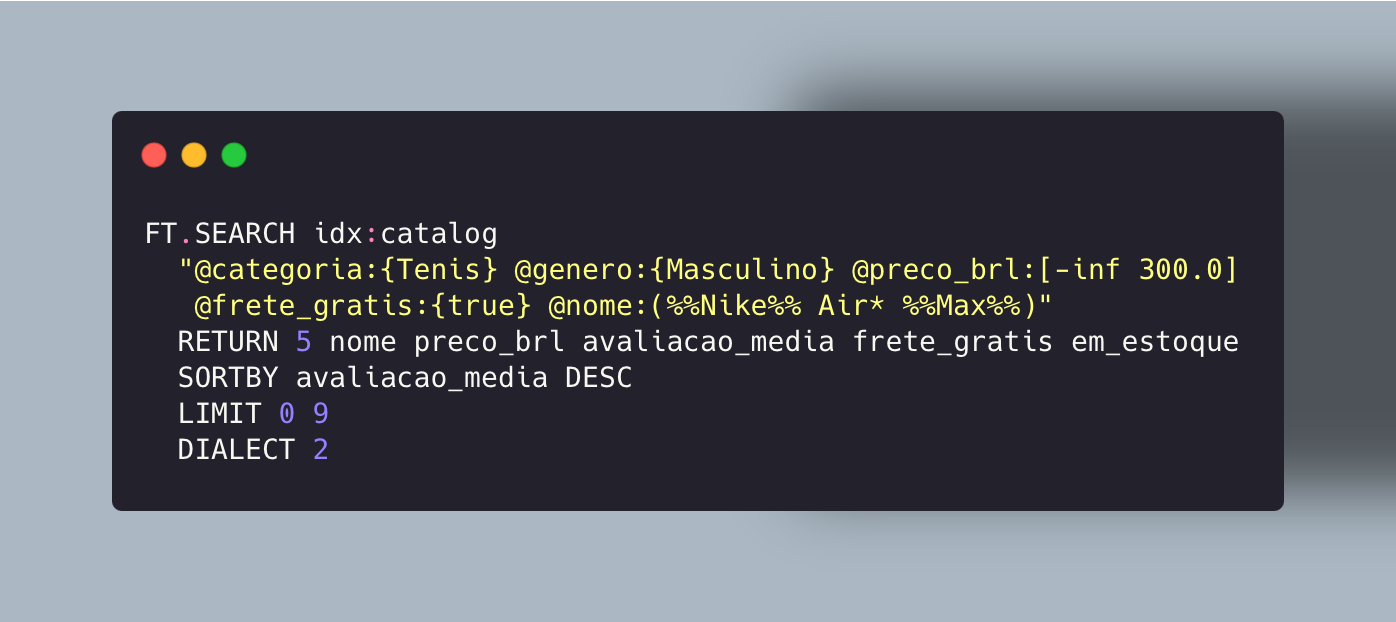
Which Redis executes as:
 Enlarge ↗
The LLM receives 5 fields × N products, not 60 fields or an 800-token JSON.
Next week: the complete pipeline. The path of a query from the user's message to the formatted answer (supervisor, router, anaphora, DSPy, tool, generate, critique), all together in a unified view.